
Call Plugin for Google Chrome

Megacall's call extension for Chrome is a plugin that lets you make and manage calls directly from your web browser, with no need to install any additional software, as it runs over the WebRTC protocol.
The plugin automatically detects phone numbers displayed on web pages, allowing you to start a call with a single click on the corresponding icon or via the right-click menu. It also gives you access to a phone keypad from the extension icon itself, so you can dial any number manually.
Advantages of Megacall's Chrome extension
- One-click calls.
- Integration with CRM and other management tools.
- No additional software to install.
- Built-in manual dialling.
- Automatic number detection.
- Call logging and traceability.
Setup instructions
Before configuring the plugin, the following requirements must be met:
- Activate and configure the Megacall virtual switchboard.
- Use the Google Chrome browser.
Configuration
- Go to the Google Chrome extensions marketplace and install Megacall's Click to Call.
- Once installed, enter the details shown: numbers and integration key for authorisation. You'll find these details in the integration settings in your personal area on Megacall.
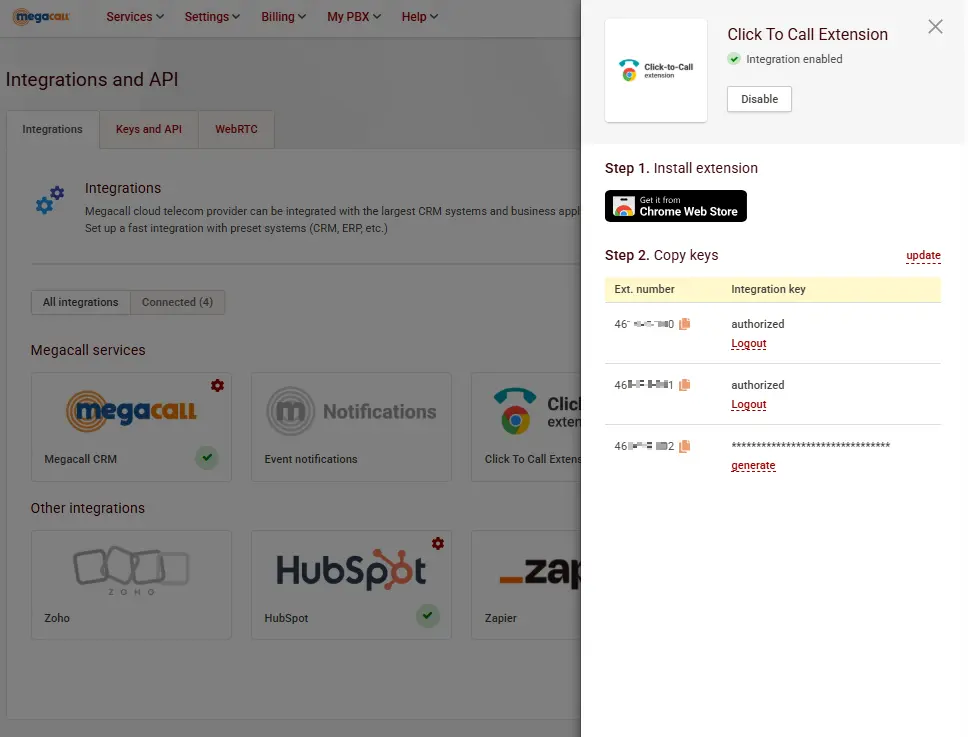
- Once authorised, you can start making calls with the plugin. The extension locates numbers on different websites. To make a call, simply hover the cursor over the number and click the phone icon. We recommend pinning the extension to the extensions bar so you always have it to hand.
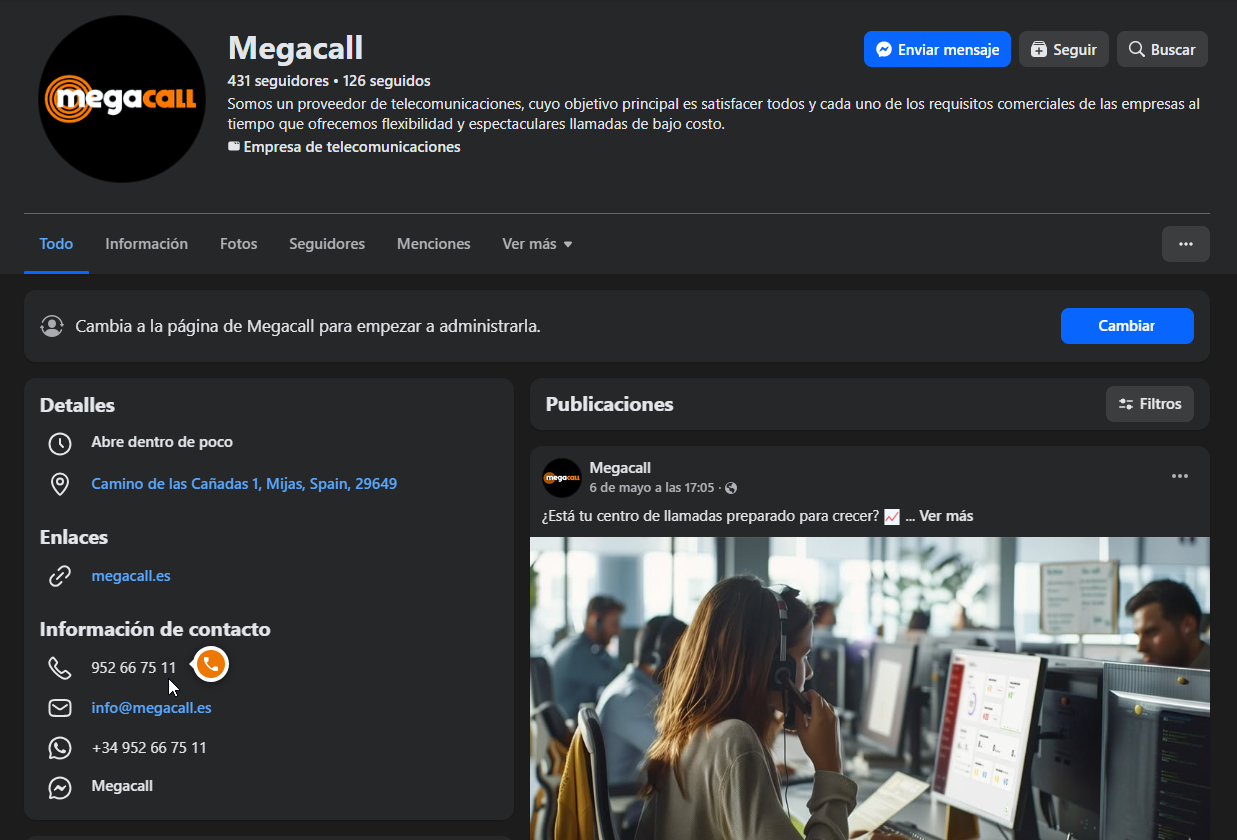
- If the number couldn't be located, you can still place the call by selecting the number text, right-clicking and choosing "call".
- In the extension settings, you can specify domains where you don't want the number search to run. Just add the website(s) in the "add domain" field.