
VoIP telephony for SMEs: what it is, advantages, and how to get started
October 9, 2026

Business VoIP telephony allows you to make and receive calls over the internet without a physical PBX or wiring, while keeping your existing phone number. It works from a mobile phone, computer, or desk phone. It is a good option for businesses and SMEs looking to reduce costs, handle calls from anywhere, and grow without construction work.
In this guide, you will learn what VoIP telephony is, its advantages and disadvantages, what you need to get started, and how much VoIP telephony costs for an SME.
What is VoIP telephony for businesses?
It is a type of telephony that converts your voice into data and sends it over the internet, just like a message or an email, instead of using a traditional copper phone line. It works through a PBX that is no longer physically located in an office but hosted in the cloud, on your provider’s servers, and managed through a web interface.
Employees can answer or make calls from the same platform, using an app on their mobile phone or computer. This gives them the freedom to manage business communications from anywhere and is one of its main advantages.
Comparison table: traditional telephony vs. VoIP telephony
|
Traditional telephony |
VoIP telephony |
|
|
Installation |
Requires a technician, office wiring, and on-site equipment. It can take days. |
No physical installation required. It can be configured in minutes. |
|
Flexibility |
Requires employees to be in a physical office. |
Make and receive calls from a mobile phone or computer, wherever you are. |
|
Adding lines |
Requires a new line or extension, a technician, and additional costs. |
Add or remove extensions virtually, without delays. |
|
Features |
Basic features (calling, call transfers, voicemail). |
Advanced features (video calls, call recording, call queues, CRM integrations). |
|
Cost |
Expensive, with high rates for long-distance and international calls. |
More affordable, with low rates, inexpensive international calls, and free calls between extensions. |
|
Internet dependency |
Can work without an internet connection, provided there is a power supply. |
Depends on the stability of the internet connection. |
Advantages and key features of VoIP for your SME’s day-to-day operations
VoIP telephony is nothing new, but the benefits are clear: you pay less, answer calls from anywhere, and no longer have to deal with a physical PBX that requires maintenance. Here’s a closer look:
Cost savings: lower fees and fewer unexpected bills.
With a traditional landline, you pay for the line, maintenance, and every additional extension. With VoIP, the price depends on the provider and plan. You can pay a monthly fee for a virtual number and add credit to make calls. There may also be plans that include the number, integrations, and other PBX features. VoIP calls are also much cheaper than traditional calls, especially international ones.
For example, a small consultancy with five employees can use a single business number and distribute incoming calls among its staff without having to pay for a separate line for each person.
Mobility and call forwarding to your mobile:
With an app on your mobile phone or a softphone on your computer (an app that turns your computer into a phone), you can answer calls using your business number from anywhere. You can also enable call forwarding to your mobile so that incoming calls ring there instead. Callers won't notice the difference.
For example, you can answer calls to your office landline from your mobile while travelling, without missing a customer's call.
Advanced features
You can have a PBX with the features of a large company without paying like one. This means you can use advanced call management features similar to those used by large corporations without necessarily incurring high costs. These features include:
- Call routing: decide which person or team receives each call based on the time of day or department.
- Call queues: If everyone is busy, callers enter a waiting queue and hear music while they wait. This reduces the likelihood of missing calls during peak hours.
- Voicemail to email: messages left in your voicemail can be transcribed and sent to your email, thanks to features such as speech recognition, call recording, and transcription.
- IVR menu: Set up a menu with different options for each department or service. This is also a form of call routing: you design the path each call follows, known as a call flow. It's best to keep the menu short so customers don't get tired of pressing buttons before reaching an agent.
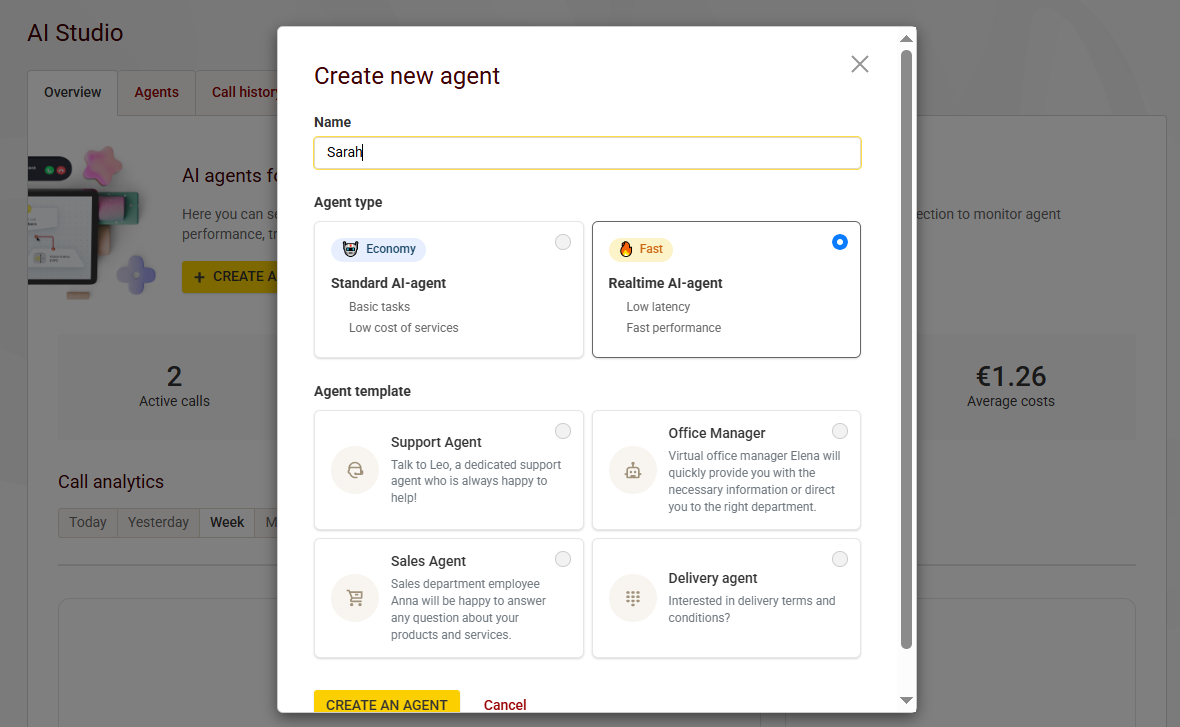
- AI agent: VoIP telephony providers now offer virtual agents that can handle incoming calls and make outgoing calls on your behalf. This frees up time for other tasks. If necessary, you can configure the AI to transfer a call to a human agent when it cannot resolve a query. It can also make calls, for example, to remind customers of appointments or confirm orders. It works like a receptionist that never gets tired and is becoming an increasingly common option that can completely replace the welcome menu, leaving the agent to handle calls directly.
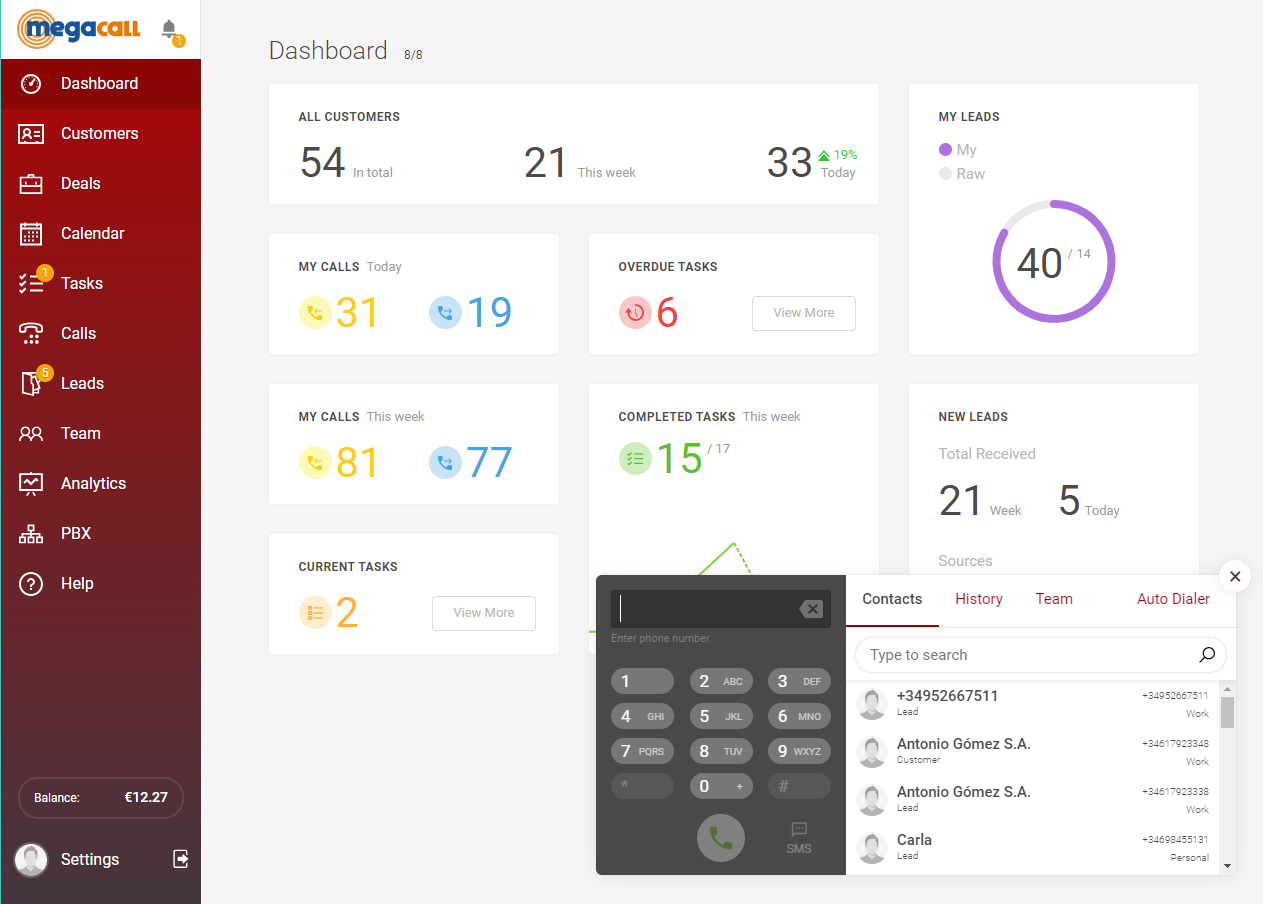
CRM Integration
Have all your customer information at hand before answering. By connecting your CRM to your phone system, you can see who’s calling and automatically save each call to the call history.
You can also add tasks and notes to each customer’s profile to keep track of their current stage in the process, the latest conversation, and any pending actions. Megacall plans include their own CRM for free.
Security
Just because VoIP works over the cloud doesn't mean it automatically poses a security risk. Nowadays, security is increasingly well managed, and VoIP has security layers in place to protect your business communications.
When choosing a provider, it's worth checking what security features they offer, such as two-factor authentication (2FA), TLS encryption, SRTP, and IP restrictions.
Call Tracking
The CRM log tells you who called, when they called, how long the call lasted, and even which calls went unanswered. This helps you identify, for example, which agent has the heaviest workload or who you should call back first.
Disadvantages of VoIP and how we address them
It wouldn't be honest to say that VoIP has no drawbacks. Like any technology, it has its limitations, but the good news is that they can be addressed.
- Dependence on the internet. If your internet connection goes down, VoIP has no way to transmit voice calls, as it relies on an internet connection to work.
Solution: Automatic call forwarding to your mobile. If the phone system can't reach your office, the call rings on your mobile instead. - Power outages. Without electricity, your router shuts down, taking your phone system with it. There are two options here: you can forward calls to your mobile, or use a battery backup to keep the router running for a few hours.
- Call quality. If you've ever experienced interruptions or echo during a call, it's usually due to network congestion. This can be fixed with a stable, wired connection and voice prioritization on your router, which ensures calls take priority over bandwidth-heavy downloads.
- Fraud. Although uncommon, fraud can be prevented by using strong passwords, setting spending limits, and blocking international destinations you don't call.
- Calls to 112. You can call 112 using VoIP, but location tracking doesn't work in the same way as it does with a landline. With a landline, emergency services can see the address where the line is installed. With VoIP, your location depends on the address associated with your number, not where you are at that moment. If you use the app outside the office, that address won't match your actual location. That's why, in these situations, it's best to dial 112 using your mobile phone's regular dialer.
What you need to get started
First of all, you don't need a server, any construction work, or a technician in your office. Everything is managed through your browser. There's very little you need to get together, and you probably already have most of it.
You need a stable internet connection and a way to answer calls, such as a mobile app, a softphone on your computer, or a browser extension. And, of course, you'll need a phone number, which can be your existing number transferred to the new service or a new one. Finally, you'll need to configure your phone system.
Here's a summary of what you need:
- Internet connection
- Mobile app, softphone, or browser extension
- Virtual number
- Phone system setup: create extensions, set business hours, and configure call flows.
How much does it cost for a small business?
There are three costs to consider: the phone number, the users, and outgoing call minutes.
To make things clearer, let's look at Megacall's VoIP plans for small businesses. Imagine a five-person accounting firm. In this case, the Lite plan would be a good fit, as it's designed for up to five users. It includes one phone number, 1,000 minutes of calls to 35 countries, free incoming calls (excluding calls to 800/900 numbers), free number porting, a CRM, 2 GB of storage, 400 free voice recognition minutes, and six voice menus.
All of this costs €20 per month with annual billing, excluding VAT. With five users included in the plan, that's around €4 per person per month, plus VAT. There's no need to buy phones; you can simply use the app. And if you need more extensions or minutes later on, you can upgrade.
With Megacall, you can also pay only for the virtual number (the Standard plan), at around €2 per month with annual billing for Spanish numbers.
Megacall Plans Table
|
Plans |
Users |
Prices |
Included minutes |
Virtual numbers |
Voice menu |
Cloud storage |
Speech recognition |
|
Standard |
To 5 users |
€0 |
100 minutes in 5 countries |
From €2/month with annual billing |
4 |
200 MB |
Not included |
|
Lite |
To 5 users |
€20/month |
1000 minutes in 35 countries |
1 |
6 |
2 GB |
400 free speech recognition minutes |
|
Office |
From 2 to 10 users |
€32/month |
2000 minutes in 35 countries |
2 |
10 |
4 GB |
1000 free speech recognition minutes |
|
Enterprise |
From 5 to 400 users |
€70/month |
4000 minutes in 35 countries |
5 |
15 |
8 GB |
2000 free speech recognition minutes |
*The price is listed per month with annual billing.
*The cost of voice recognition in Spanish ranges from €0.01 to €0.018 per minute.
*All plans include number porting and a free CRM.
What to look for when choosing a VoIP Provider
Before making a decision, put together a quick checklist of the criteria your provider should meet. Here are some of the key factors we consider important when choosing VoIP telephony for small businesses:
- Spanish phone numbers so your customers see a local number.
- Free number porting when switching providers.
- No long-term commitment, so you can try the service and cancel without penalties.
- Clear pricing and transparent plans that make it easy to identify the packages available and what's included in each one.
- Support in Spanish, including help with setup.
- A mobile app and softphone, essential for answering calls from anywhere.
- Integrations with your CRM and other tools.
- 400 numbering for making commercial calls. If your team makes sales calls, you'll need this prefix.
FAQs — VoIP for Small Businesses
Can I keep my landline number?
Yes, through number porting. You request the transfer of your number to the new provider, and the technicians check whether it can be ported, which is usually possible. With Megacall plans, number porting is free.
What happens if the internet or power goes out?
If your internet connection goes down, VoIP will stop working. To avoid missing calls and keep working in these situations, set up automatic call forwarding to your mobile.
Do I need to buy new phones?
Not necessarily. You can use the app on your mobile phone, tablet, or computer, or a browser extension. You only need to buy IP phones if you prefer using desk phones, but this is becoming less common and can be an unnecessary expense.
Can I call 112 using VoIP?
Yes, but your location depends on the address associated with your number, not where you are when you make the call. In an emergency outside the office, it's best to use your mobile phone's regular dialer.
What's the difference between a user and an extension?
It's worth checking this before comparing phone systems. An extension is the short number assigned to a call destination within a phone system (extension 100, extension 101, extension 102). A user is a person who has access to the platform and its features. Some providers charge per user while allowing more extensions than users. With Megacall, each user is an extension, and you can create up to 400 directly from the control panel.
How does VoIP call quality compare with traditional phone systems?
VoIP call quality has improved significantly and can even surpass traditional phone calls when conditions are good. However, VoIP call quality can be affected by a poor internet connection.
You may also like…

Getting a SIP Trunk: How it works and what you need
October 26, 2026

The 400 prefix and the new regulation for commercial calls
September 28, 2026