
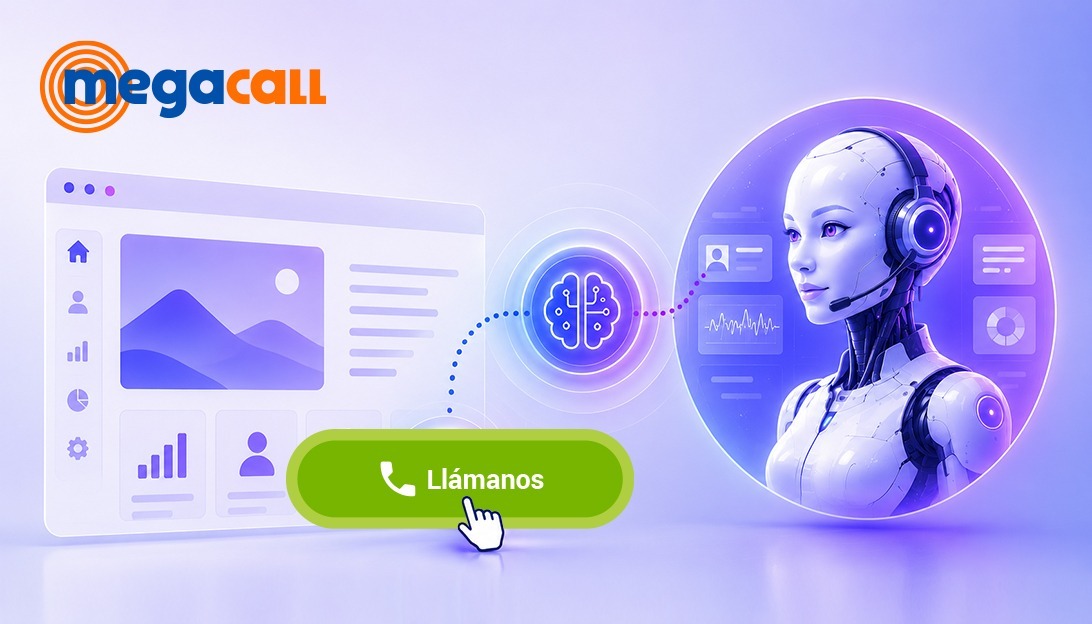
We aim to attract traffic to the website, but it is not always possible to turn that interest into a real call. The problem is that, between the user’s interest and a real conversation with the company, friction often still appears: searching for a phone number, filling out a form, or waiting for a response.
In this context, solutions such as the Click-to-Call widget allow the user to initiate a call with a single click. Its function becomes even more interesting when integrated with artificial intelligence. Therefore, in this article we want to explain what this type of widget is about and how it can be implemented.
What is an AI call widget on a website
A call widget is, in simple terms, a button integrated into a website—usually in the form of a “call now” style button—that allows a user to initiate a phone call instantly. Its main function is to make it easier for users to contact the company via phone calls.
We are talking about the click to call widget, which connects to systems such as virtual switchboards or CRM platforms. This means we gain access to analysis and statistics of these conversations, since all calls are recorded. It can be categorized as just another communication channel, but it is also a very valuable source of data for a business.
For the user, it is very simple. They are browsing the website, and instead of having to search for a phone number, they can initiate contact directly with a click. When we add the extra layer of artificial intelligence to that button, the first contact no longer depends solely on a human agent; instead, an AI agent can handle it, managing inquiries automatically from the start, which increases the likelihood of sales for the business.
Advantages of having a click to call widget with integrated AI
When we bring the click to call concept into the realm of artificial intelligence, we reorganize the entire first interaction with the user. It is not just about providing better service, but about responding at the exact moment the user presses the call button. Therefore, we highlight some of the advantages of integrating an AI-powered call widget into a website:
Higher conversion rate – more leads
From experience, we know that one of the most direct effects of this type of widget is that it reduces the gap between user interest and action. When users can speak at the exact moment they are motivated, without searching for phone numbers or forms, the likelihood of them becoming a real lead increases.
Makes calling easier
Calling directly from the website removes intermediate steps, because instead of switching channels, the user simply clicks and starts a conversation with an AI agent.
The conversation starts before transfer
In click to call button calls, the initial stage does not depend on a human agent. The AI can start the conversation, collect basic information, and understand the reason for contact before it is transferred to a human. By the time it reaches the operator, the purpose of the call is already known, allowing them to get straight to the point.
Acts as a call filter
Related to the previous point, the call widget can also act as a filter when separating inquiries, since it allows us to identify what the user needs and guide the interaction in a more structured way.
Easy to implement
Another advantage we highlight is that integration is usually simple. It is typically added via a small code snippet, without the need to redesign the website or modify its existing structure. If you choose the right provider, you can activate it quickly and operate without long development cycles.
Some use cases for an AI-integrated click to call widget include:
- Lead generation on landing pages.
- Immediate support in high-intent services (insurance, clinics, etc.).
- Customer service directly from the website without forms.
- Direct contact on pricing or tariff pages, where users often make decisions in the moment.
- Support in local services where response speed is key (bookings, appointments, inquiries).
Difference between forms, chatbots, and click to call widgets
When it comes to capturing leads from a website, we can combine different approaches to engage users: forms, chatbots, and phone calls. All of them aim for the same goal, but each one works differently:
- Forms. This is a fairly traditional system that works well for requests that do not require immediacy, since the user has to stop to enter their details and the response is usually not immediate.
- Chatbots. These provide a more dynamic interaction within a website, allowing users to resolve basic questions or be guided through a process. However, it is still a written channel, and in many cases limited when the conversation requires detail, context, or urgency. Its effectiveness depends heavily on how it is designed.
- AI click to call widget. Here the behavior is different: the user does not write or wait—they speak directly. The conversation is immediate, and the user can get a response at the exact moment they call. AI enables interaction from the start, guiding the user and transferring the call to a human if necessary.
Focusing on the call widget, what is particularly interesting is how this entire flow is integrated within virtual switchboard systems so everything works smoothly. We are dealing with technologies that operate through VoIP (Voice over IP), so the first step is to find a provider that integrates these types of solutions and also offers virtual numbers, which is where the call enters and connects the widget.
One example of this is Megacall, which offers the option to create a click-to-call widget with integrated artificial intelligence from its free virtual PBX system.
How to add a click to call widget with AI to your website
As we have mentioned, adding a click to call button is not difficult if you choose the right provider. Let’s look at a quick and easy way to set it up with Megacall:
First, if you are not yet part of the Megacall PBX system, you can create an account. Choose your virtual number to connect the click to call widget to your website, or you also have the option to port your existing number for free if you want to keep it.
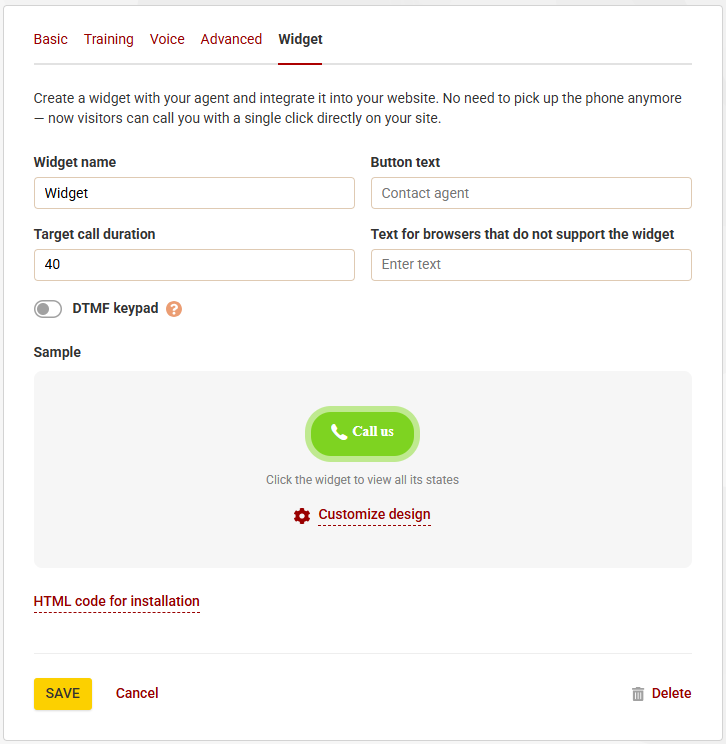
Once your number is connected to the PBX, you can create a virtual agent from the AI Studio section and, from the same dashboard, add the call widget and connect it to the extension. Fill in the required fields and copy the HTML code that you will embed into the website where you want the widget to appear.
This way, every time a user clicks the widget button on your website, the call will go directly to the AI agent you have created. You can also customize the design of the click to call button and adapt its appearance to better match your website’s style.
FAQs – AI click to call widget
How much does the click to call widget cost for my website?
This type of widget has no cost. You do not pay for the button or for embedding it into the website. However, you do have to pay for the use of a virtual number service and for the calls handled through the platform.
Can the messages of the virtual agent that handles the widget calls be customized?
Yes. The virtual agent is not a closed system; it can be configured according to each company’s needs. You can define how it starts the conversation, what types of questions it can ask, the tone it should use, and how it should respond depending on the inquiry.
Can the click to call widget be visually customized?
Usually, yes. Platforms like Megacall are designed to integrate naturally into websites, so the design can be adjusted to match the site’s visual identity. This can include aspects such as button colors, font type, text, and more.
Can the call widget interfere with other website elements?
No. The click to call widget loads independently, usually via a script, which allows the website content to continue functioning normally without interfering with other elements. In fact, it can be combined with other widgets such as callbacks.
Can you control what happens after the user clicks?
Yes. Since it is connected to a virtual PBX system, the entire flow can be configured. This means you can define whether the call is transferred to a human agent after interacting with the AI agent, or whether another routing logic is triggered depending on the source of the inquiry.
Can click to call be integrated with CRM software?
Yes, and it is also recommended. Each call is recorded in the system, allowing a new customer record to be created. In addition, the sales team receives the interaction with context, which enables faster and more accurate service without needing to collect information from scratch.
You may also like…


The 400 prefix and the new regulation for commercial calls
September 28, 2026

Call whispering: the discreet support that improves calls
September 14, 2026